Introducing Kernow Connect MONITORED

Your Dashboard

Everything you need in one place

Access all your essential tools and stay on top of your EOTAS package with our intuitive monitored dashboard.

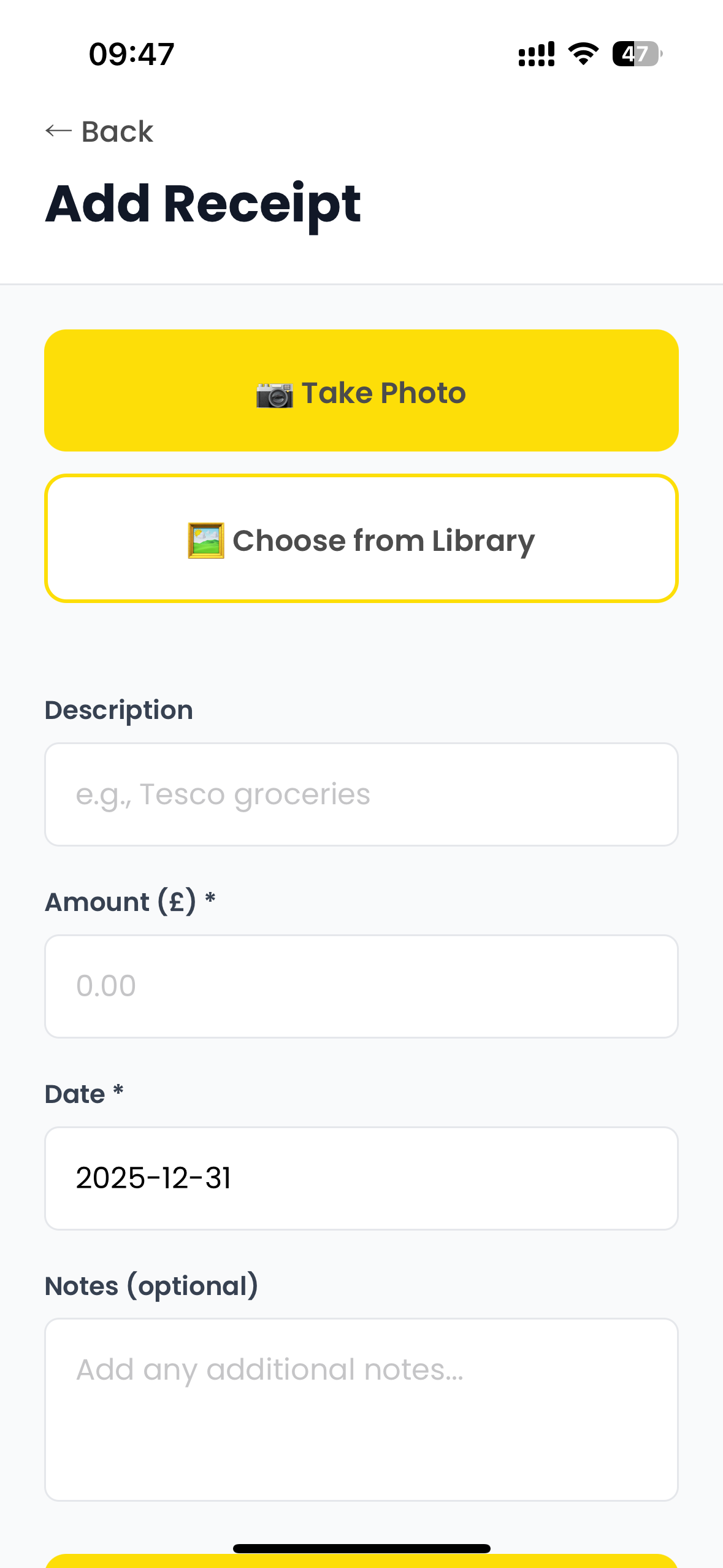
πŸ“Έ Add Receipt

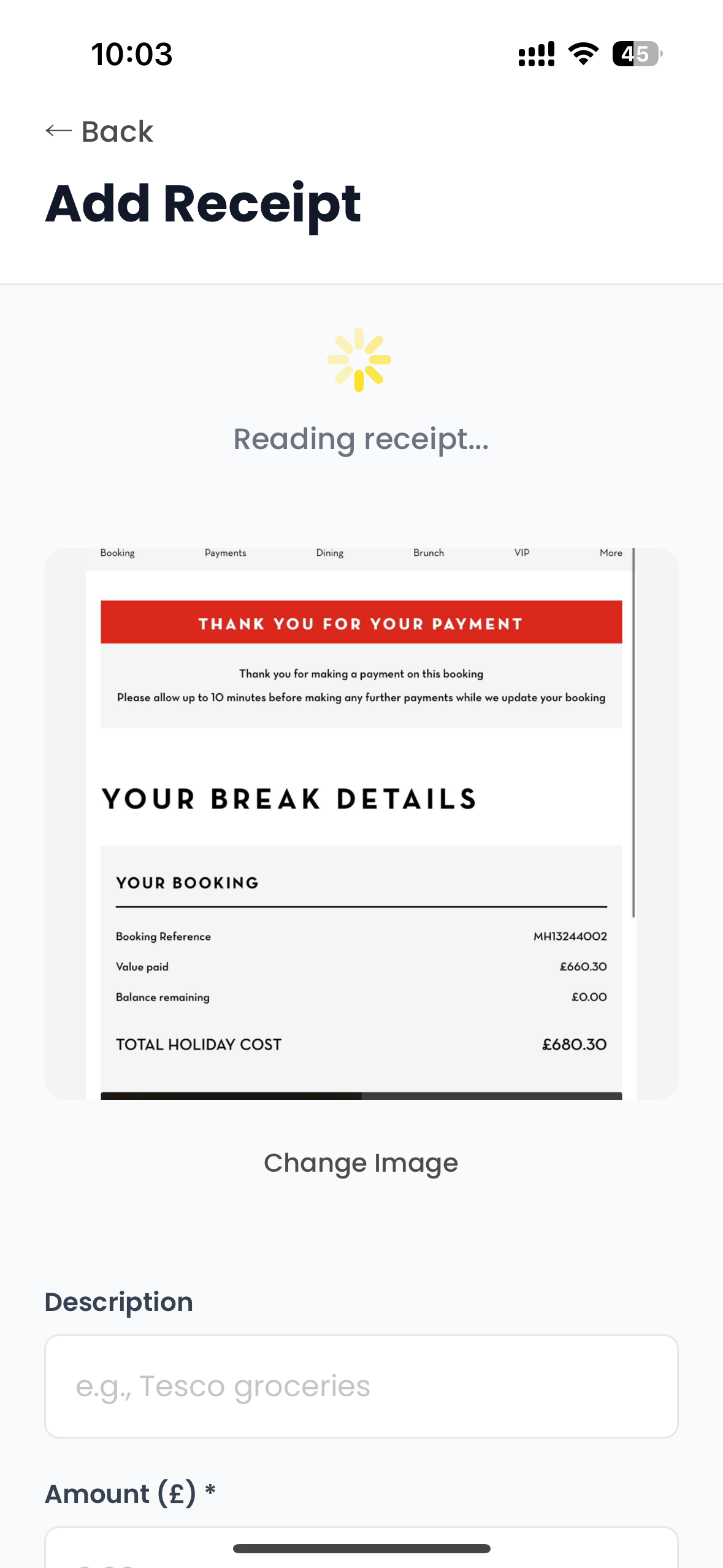
User can take pictures of their receipts or upload from their gallery on their phones. This uses OCR and AI to read the date and amount, it will also attempt the supplier.

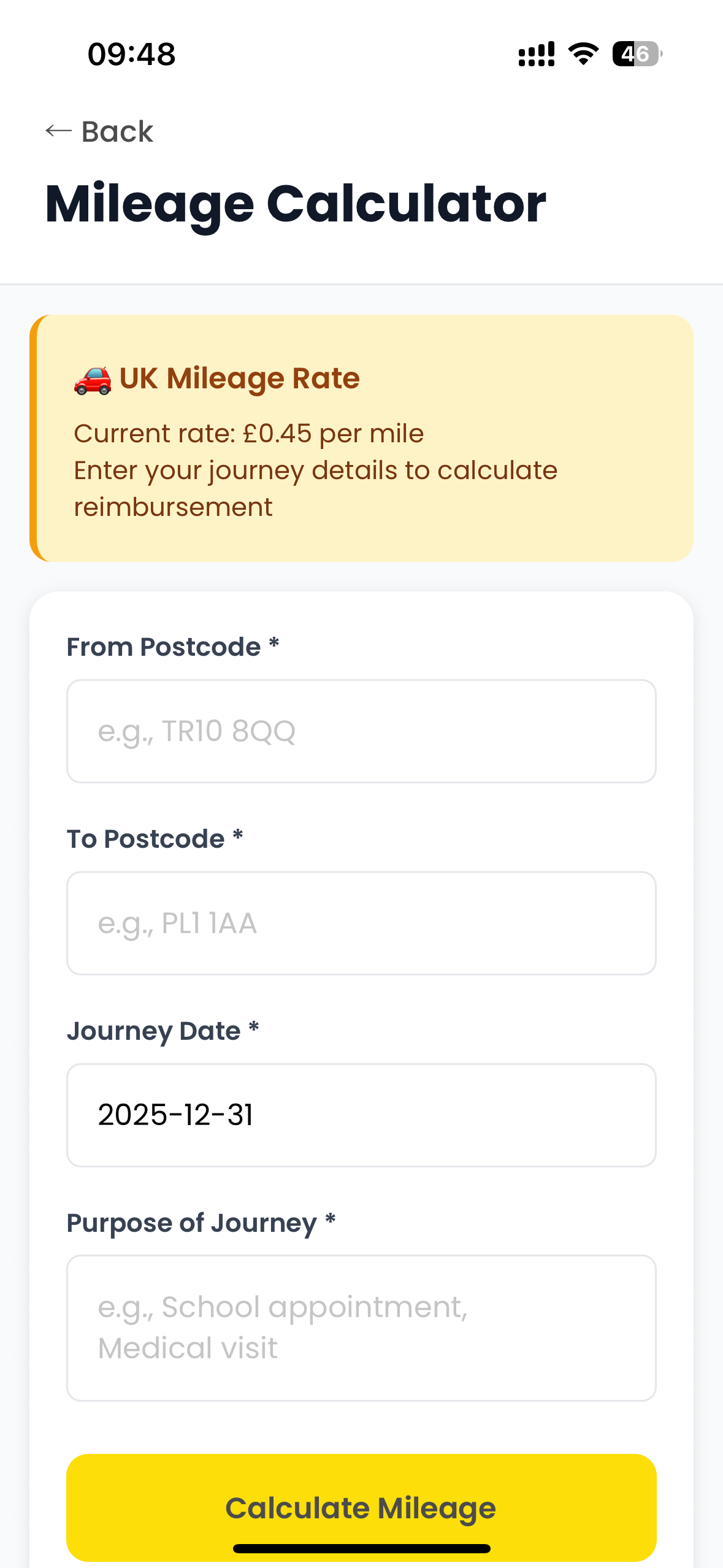
πŸ—ΊοΈ Calculate Mileage

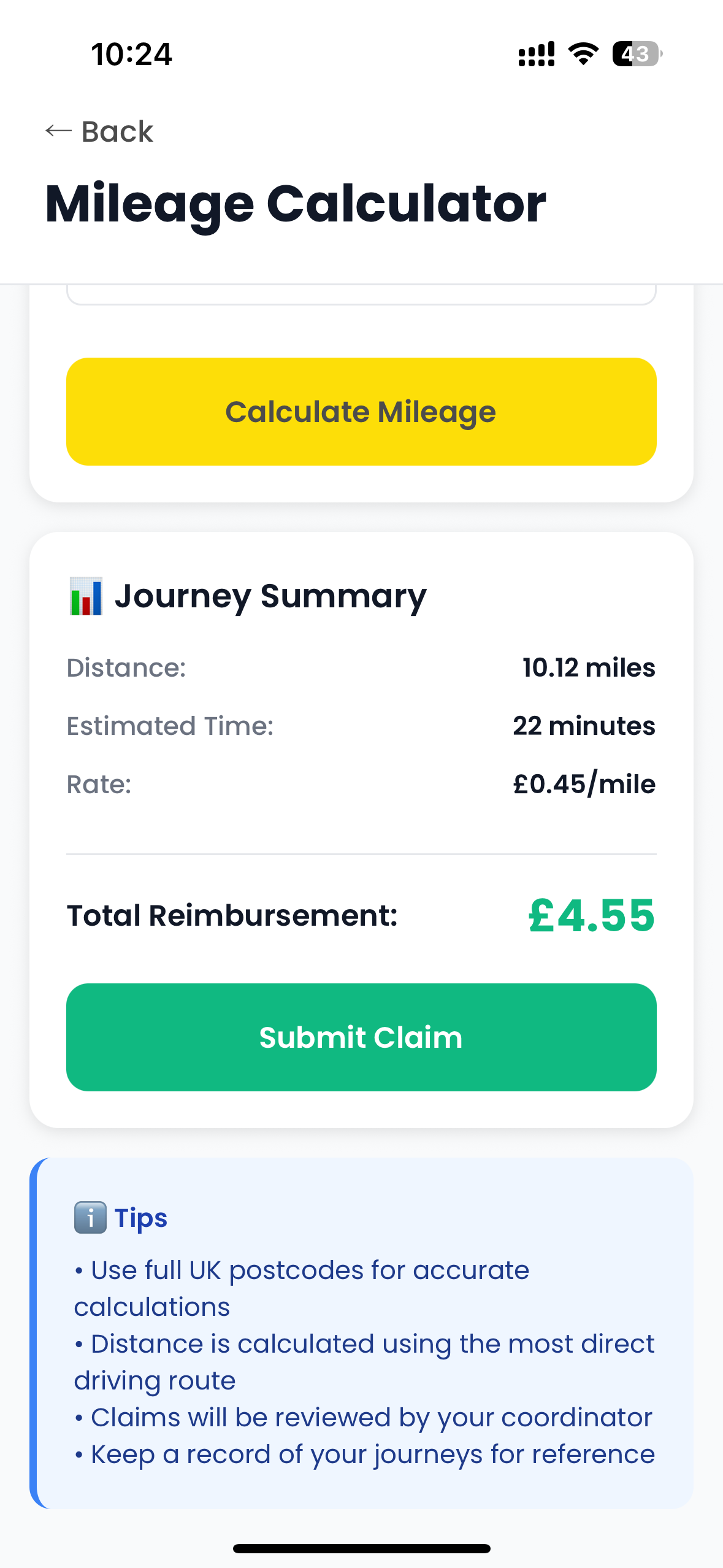
User inputs start and end post codes, and then the mileage is calculated automatically at 45p per mile.

πŸ’° Reimbursements

This is where all receipts and mileage claims go to and can be tracked.

🏦 Bank Statements

Once a month upload a bank statement to evidence budget spending.

πŸ“… Closed Months

Where you can see all receipts and bank statements uploaded for any month.
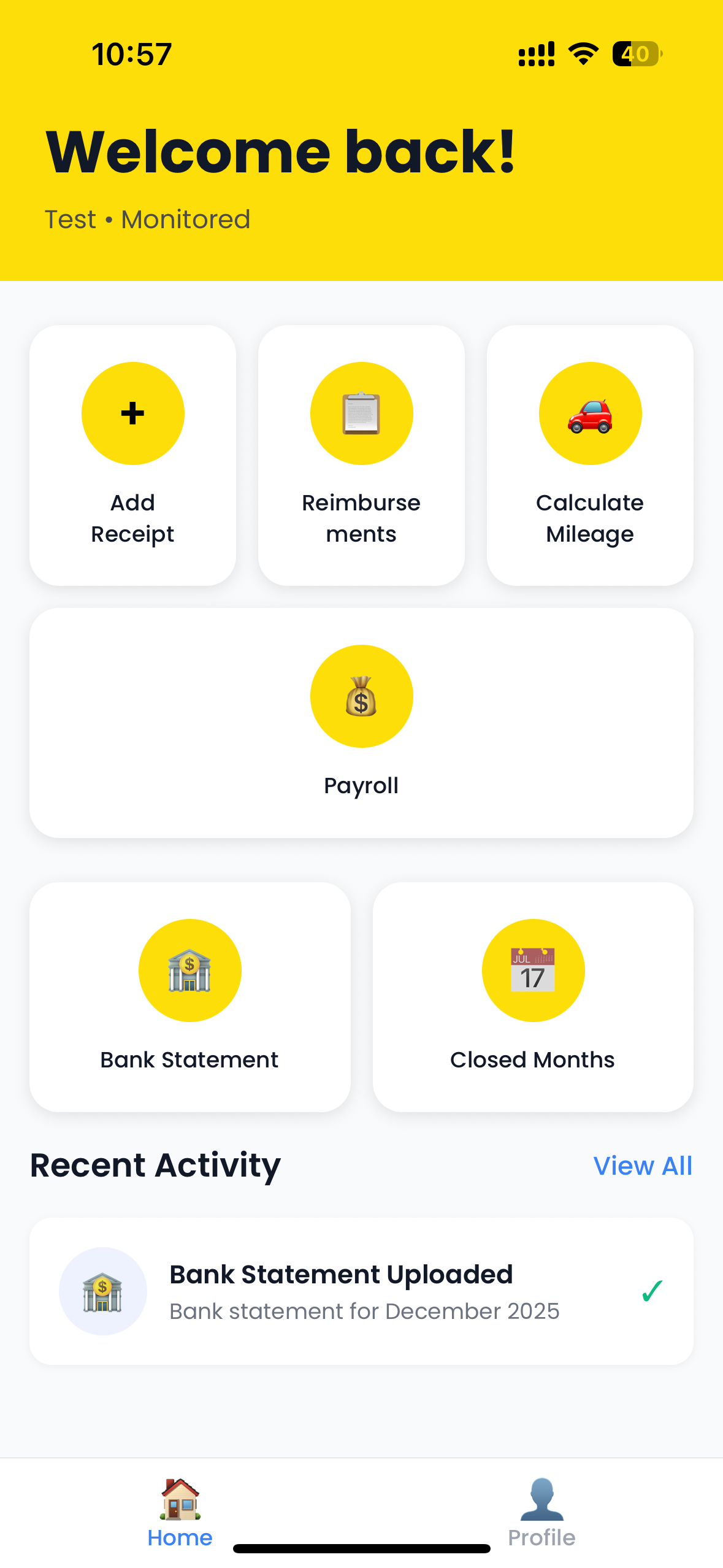
Kernow Connect MONITORED Dashboard showing Welcome back screen with Add Receipt, Reimbursements, Calculate Mileage, Payroll, Bank Statement, and Closed Months buttons, plus Recent Activity section
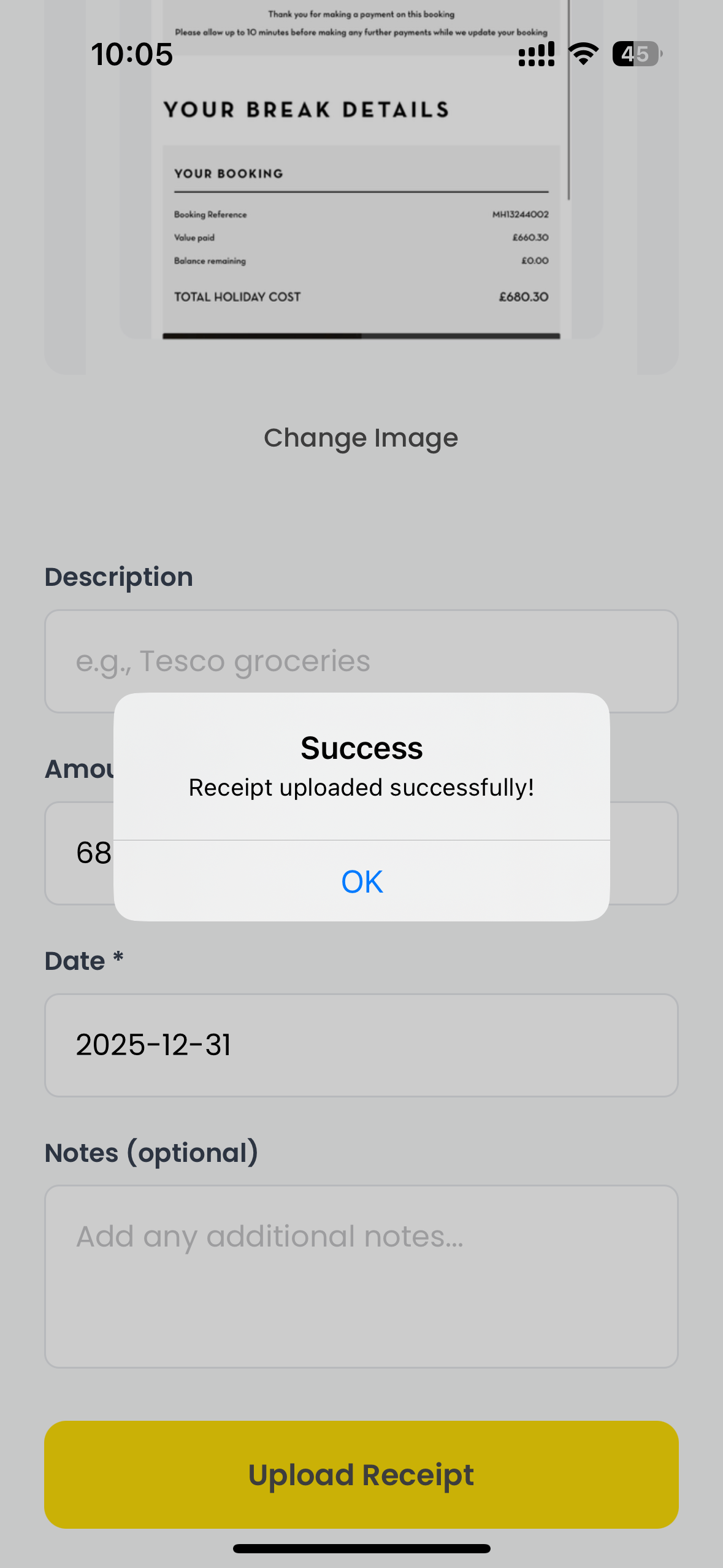
Add Receipt step 1: Take Photo or Choose from Library screen with form fields Add Receipt step 2: AI reading receipt and extracting information Add Receipt step 3: Success confirmation modal showing receipt uploaded successfully

Add Receipt

Follow these simple steps to submit your expenses

  • 1
    Capture Your Receipt
    Tap on take photo or choose from Library to capture your receipt.
  • 2
    AI Extraction
    AI automatically reads the receipt to extract key information like date and value.
  • 3
    Review & Correct
    Double check the extracted information and correct if needed.
  • 4
    Submit
    Confirm and upload your receipt for processing.

Calculate Mileage

Easily track and submit your family travel mileage

  • 1
    Enter Journey Details
    Enter your From and To post codes, journey date, and purpose of journey.
  • 2
    Calculate & Submit
    Tap calculate mileage, await confirmation, and submit your mileage.

UK Mileage Rate

Β£0.45 per mile

Mileage Calculator entry form showing From/To postcodes, journey date, and purpose fields with UK mileage rate of Β£0.45 per mile Mileage Calculator journey summary showing distance, estimated time, rate, and total reimbursement with Submit Claim button
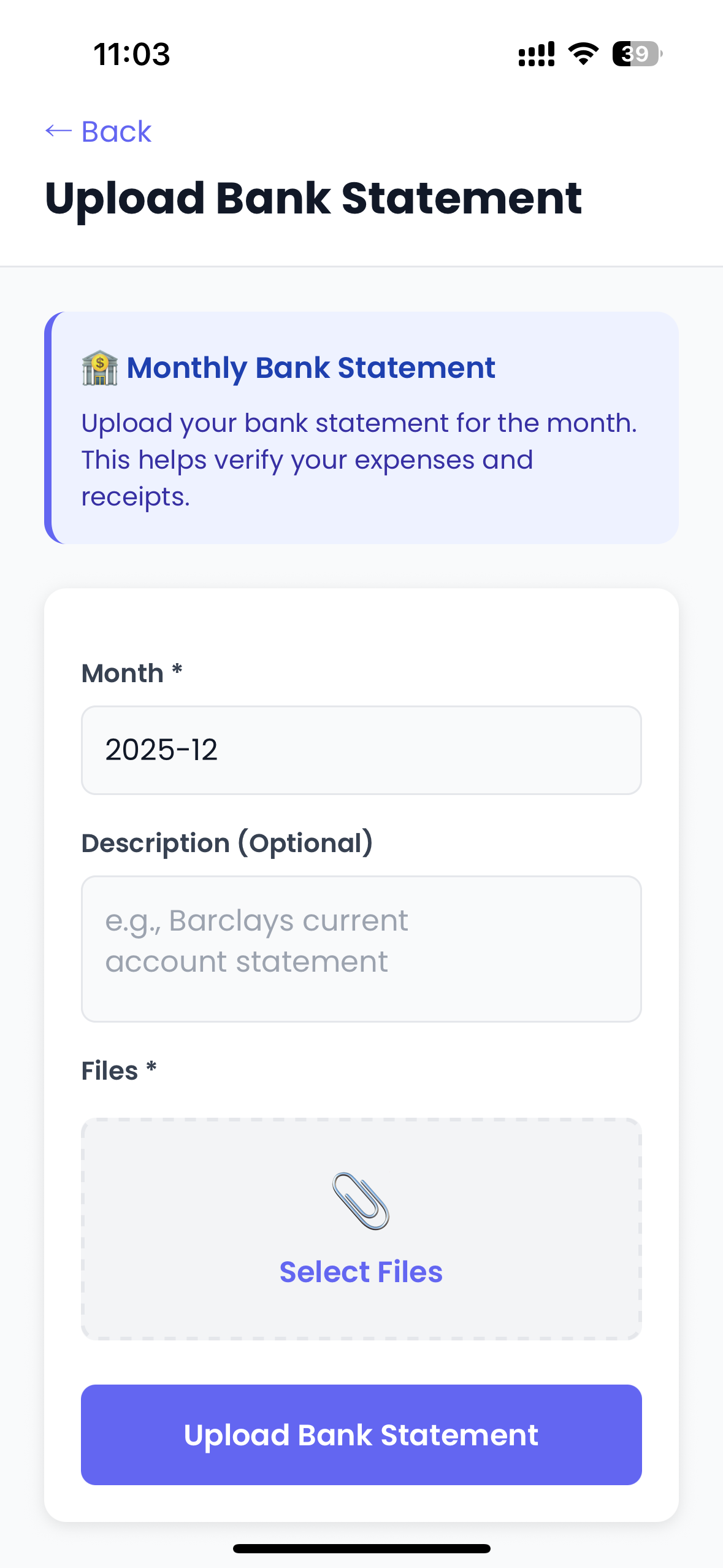
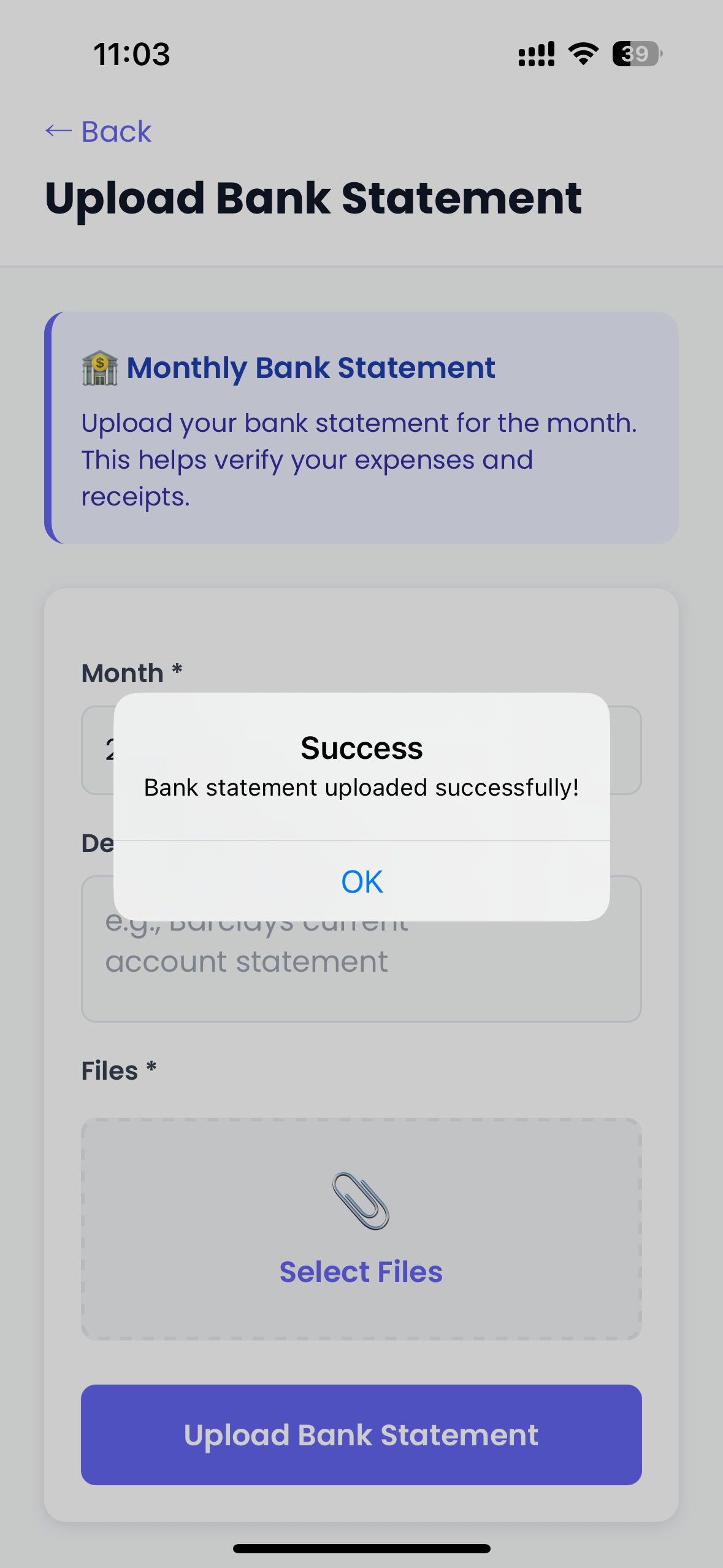
Upload Bank Statement form showing Month field, Description field, and Select Files button with Monthly Bank Statement info banner Upload Bank Statement success modal showing Bank statement uploaded successfully message

Bank Statements

Securely upload your monthly statements for accurate record-keeping

Monthly Bank Statement: Upload your bank statement for the month. This helps verify your expenses and receipts.

  • 1
    Choose Your Statement
    Choose bank statement from your phones files and select the month.
  • 2
    Upload
    Tap upload bank statement.

Want to read whilst offline?

Download the PDF version of this package information for offline access.

Download MONITORED Package PDF